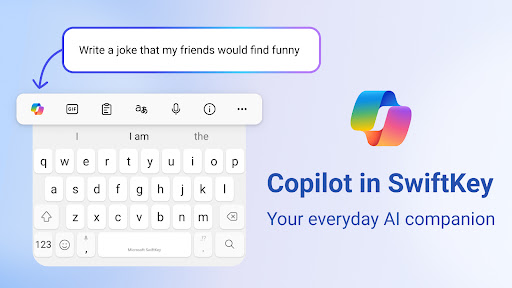
Microsoft SwiftKey is an innovative, intelligent keyboard designed to revolutionize the way you type, send messages, and interact with your digital world. As your personalized keyboard, it learns your unique writing style and adapts to match your preferences, reducing typing time and errors. With Microsoft SwiftKey, you can experience a faster and more efficient way of communicating through AI-powered predictions, autocorrect, and more. This custom keyboard is equipped with various features to enhance your mobile typing experience. The swipe-to-type and tap-to-type functions allow you to choose your preferred typing method. The built-in spell checker, AI-powered predictions, and auto text features work seamlessly to correct typos, prevent errors, and provide intelligent suggestions. Additionally, the customizable toolbar with expandable menus of quick shortcuts lets you access a wide range of actions with just a few taps. Microsoft SwiftKey also includes the feature of Copilot - your everyday AI companion. You can ask AI anything in your favorite apps, and it will provide instant answers, helping you manage your time more effectively. This keyboard is designed to fit your personal style, offering 100+ free and custom themes, along with the ability to create and upload your own theme with your photo. Rich content features like the emoji keyboard make it easy to express yourself with over a million emojis, GIFs, and stickers. The emoji keyboard learns and adapts to your favorite emoticons for any conversation. With the search function, you can find the perfect emoji to respond to any situation. Moreover, Microsoft SwiftKey supports up to five languages simultaneously, making it easy for bilingual individuals to switch between languages quickly and seamlessly. With the custom keyboard, you can also rewrite your text in a different tone and compose it with AI-powered predictions, making your ideas stand out. Microsoft SwiftKey caters to users of all backgrounds, from students to professionals and everyone in between. This app is perfect for those who want to boost their productivity, express themselves creatively, and interact with their digital world in a more efficient manner. With its user-friendly interface and robust features, Microsoft SwiftKey transforms the way you communicate and type on your mobile device. Experience a faster and more intuitive typing experience with Microsoft SwiftKey. This is an essential app for anyone who wants to revolutionize their digital communication and typing habits. SUPPORTS 700+ LANGUAGES including: - English (US, UK, AU, CA) - Spanish (ES, LA, US) - Portuguese (PT, BR) - German - Turkish - French - Arabic - Russian - Italian - Polish Microsoft SwiftKey AI Keyboard may request the following optional permissions, which require your consent. You can continue to use Microsoft SwiftKey AI Keyboard without granting these permissions; however, some features may be limited or unavailable. For more information, please see below: - Microphone: To enter text via voice using the voice-to-text functionality. - Photos and videos: To select images stored on your device and insert or share them in messages. - Contacts: To access your contacts for easy entry when composing messages. - Camera: To take photos to insert or share them in messages.

 MOD
MOD